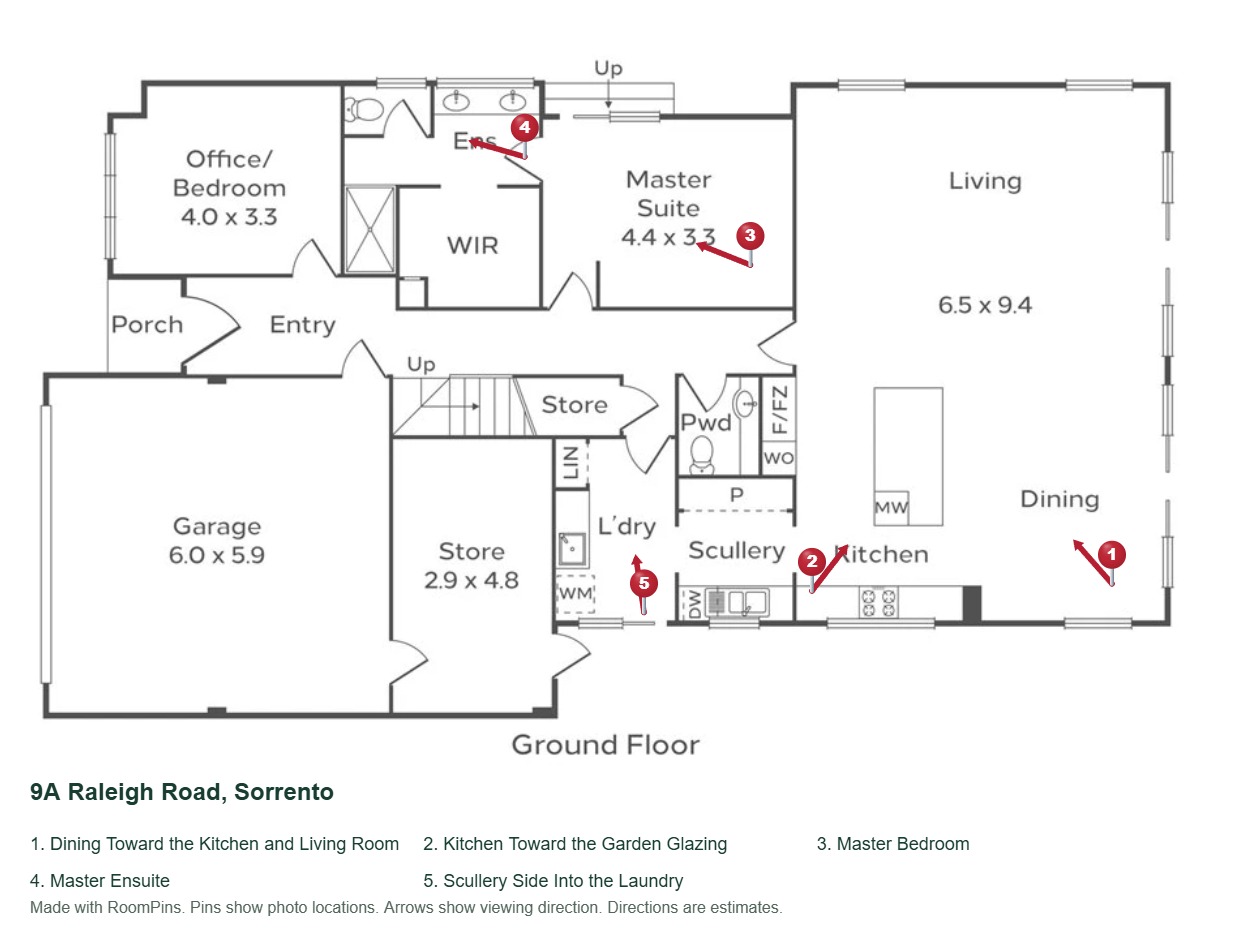
Explore the Home
Click a room or a number to see its photo. Works offline in your browser.
The same map as 03-Interactive-Map.html.
Open the Interactive MapROOMPINS LISTING KIT
9A Raleigh Road, Sorrento
Choose the map or PDF below. You only need the file that suits your next step.
On Windows, close this guide, right-click the downloaded ZIP and choose Extract All. On a Mac, double-click the ZIP. Open 01-Start-Here.html in the folder that opens. This keeps the photo links working too.
Click a room or a number to see its photo. Works offline in your browser.
The same map as 03-Interactive-Map.html.
Open the Interactive MapOne PDF with a clickable floor plan and photos. Works offline in a PDF reader.
Open the Photo Map PDF| File | Use It For |
|---|---|
| 01-Start-Here.html | File help and messages to copy. Open this first. |
| 02-Photo-Map.pdf | Email to buyers. Click numbers to open photos. |
| 03-Interactive-Map.html | Browse the home or give to your website provider. |
| 04-Numbered-Floor-Plan.jpg | Add to the listing photo gallery. A still image with no clickable links. |
Start with 01 for help. Choose 02 for the PDF or 03 for the map. The photo folder is optional.
Attach 02-Photo-Map.pdf to your email. Edit this message if you like, then copy it.
A quick way to show where the kit photos were taken. Add it beside those photos in your listing gallery.
Numbers match the photos in this kit. This JPG is a still image.
The person who updates your website can do this for you.
For the person who updates your website. Everyone else can skip this section.
Add a link to the map after uploading it. If the website supports showing the map inside a page, the helper below creates that code.
Paste the map’s full HTTPS link here to create the website code.
Copy this into a website page that accepts HTML. It includes a link below the map so visitors can also open it separately.
This helper creates code only. It does not upload files. Hosting is not included. Some listing portals only accept PDFs or links.
The optional 05-Listing-Photos folder contains resized JPEG copies with shorter, descriptive names. Their numbers match the map. Extract the ZIP before using these links.
Your original files are unchanged. Keep the photo order with the numbered plan.
Open this guide in Chrome, Edge, Firefox or Safari. The map, PDF and plan are also built into this guide. If your app blocks new tabs, extract the ZIP and open 03-Interactive-Map.html or 02-Photo-Map.pdf directly.